
Whether you are new to tendering or a seasoned expert, you may have a few questions about the subscription process. Follow our step-by-step guide below to set up your account and start responding to opportunities as soon as possible.
Choose your plan & billing frequency
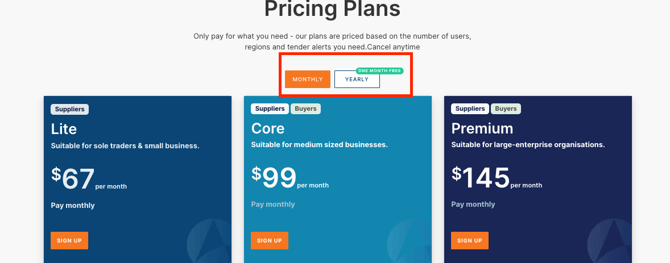
- Click the
 button ( top right of the home page)
 - Choose the subscription plan that best suits you
- Choose how you'd like to pay: monthly or yearly
If you choose the yearly payment option, you only pay for 11 months but receive a full 12 months of access, giving you one month free. You can pay by credit card or EFT.
We have broken down the difference between these options below. Each plan can be cancelled at any time.
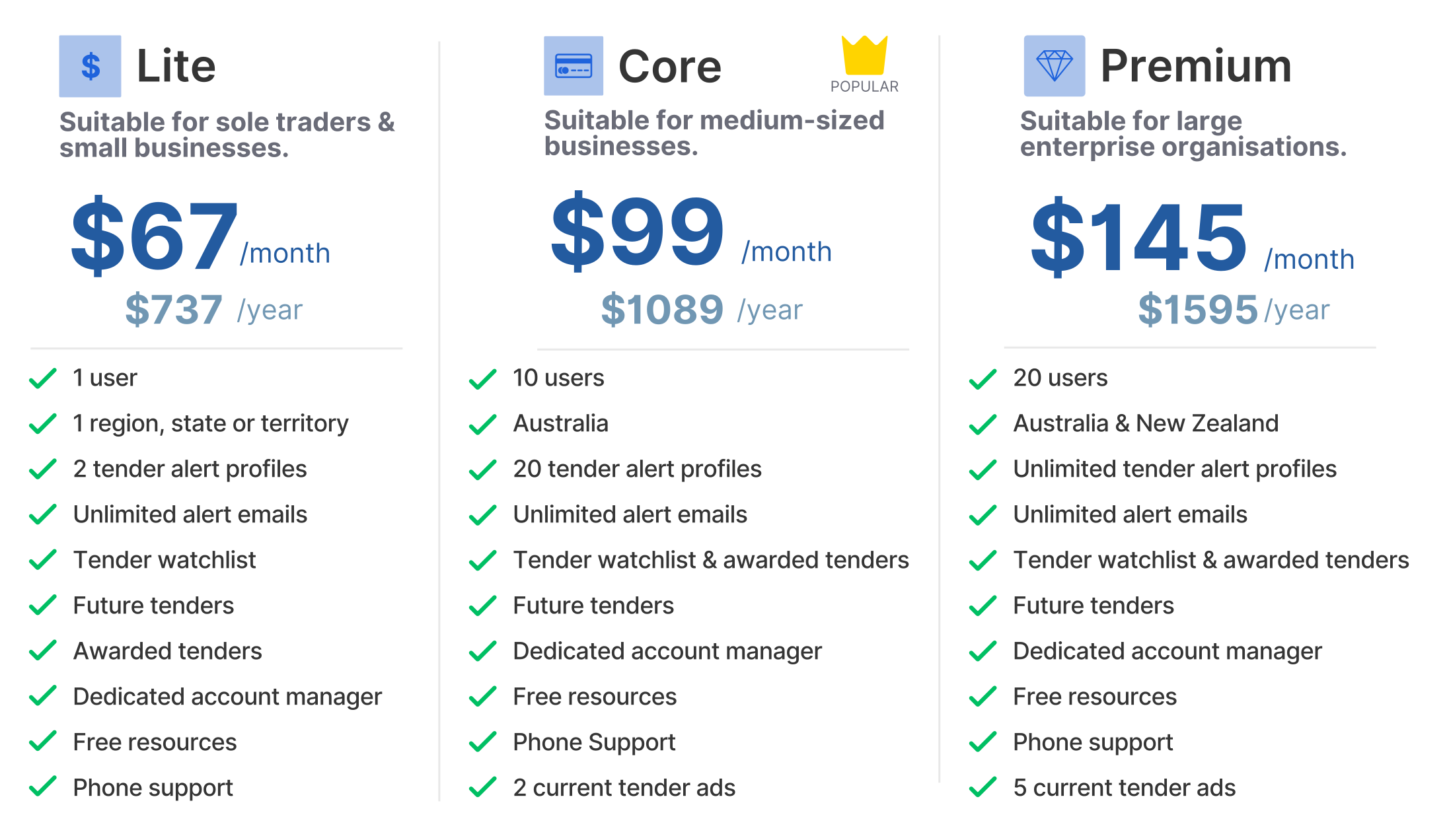
- Click SIGN-UP button when you are ready to proceed
Step 1: Your details
- Enter the contact information of yourself or whoever will be using the account
- Click SIGN UP
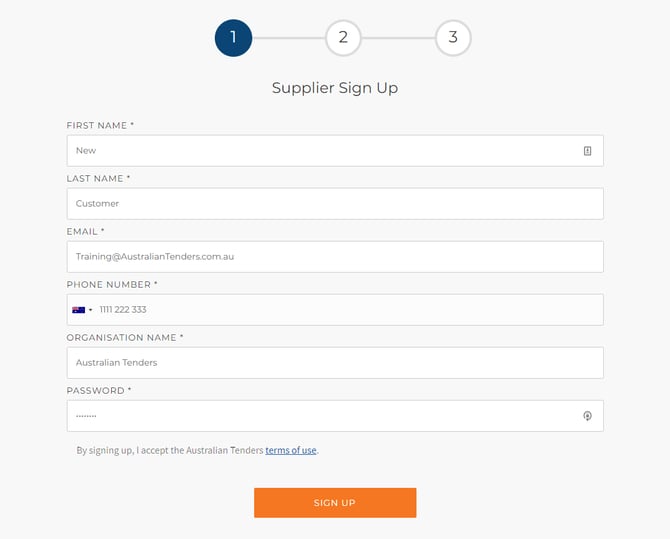
- If you selected the Lite plan, you will also be required to select your plan region on this page.
- Alternatively, you can use your Google account to sign up
- Click Continue with Google
-
From the pop-up, choose the Google account you would like to use
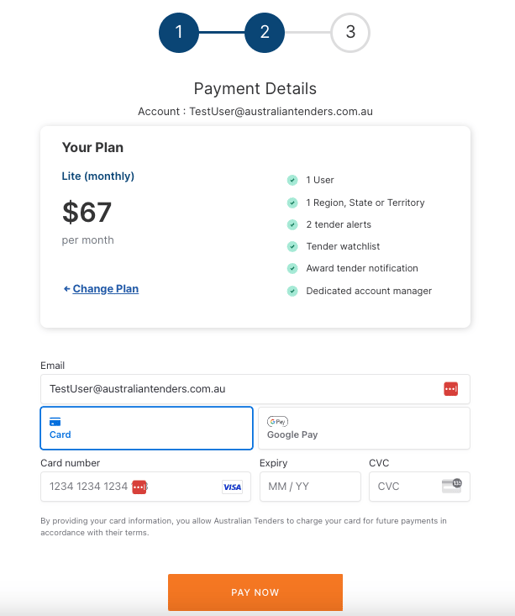
Step 2: Payment Details
- Enter credit card details (if paying by credit card)
- Click PAY NOW or PAY BY EFT if you selected the yearly payment option and prefer to pay by EFT
-
Click CONTINUE, or click DOWNLOAD INVOICE if you would like a copy of your invoice now
Invoices and receipts will be emailed to the registered email address and can also be accessed at any time from your billing history under the account menu.
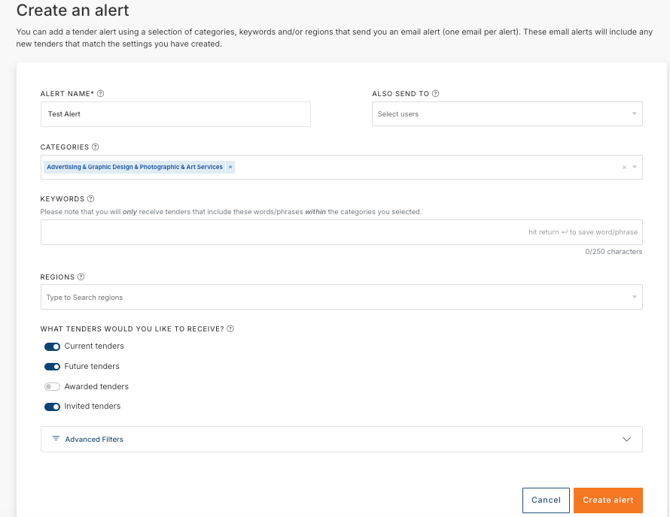
Step 3: Create Tender Alert
If you searched for tenders prior to subscribing, the system will create an alert based on those search parameters.
- Amend or add search parameters as required
- Click Save & Continue
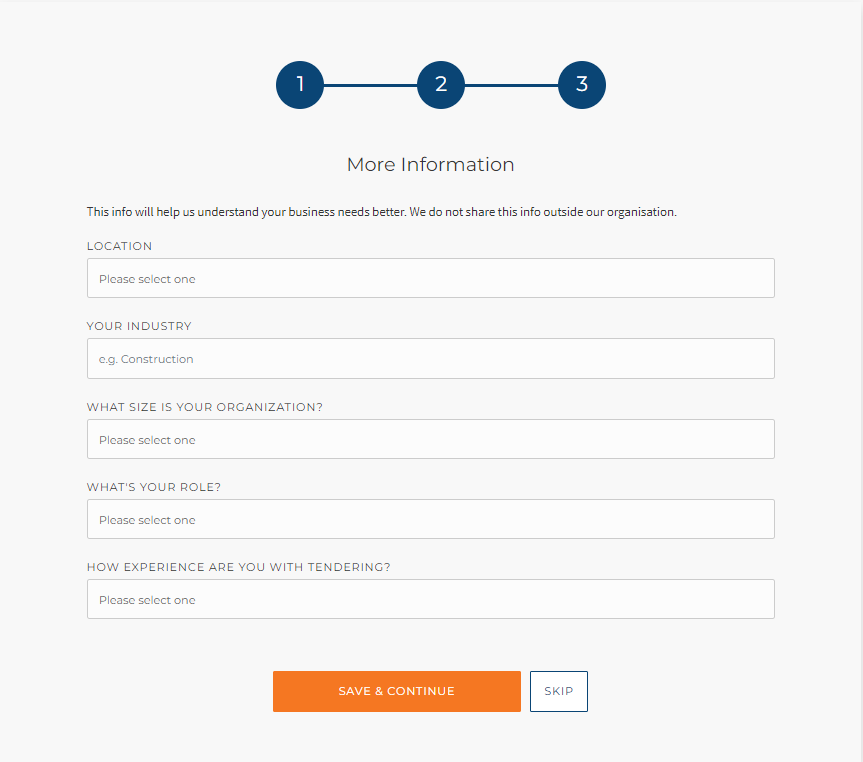
Step 4: Your Profile
- Enter your profile details
- Click SAVE & CONTINUE
Next steps
- If you didn't already do this on step 3, set up your alert so we can start to notify you of relevant tenders
- After setting up your alert, you can preview existing tenders that match your requirements by clicking on the All Results button

After you create your account, you will be assigned an Account Manager within 24 hours. They will contact you by phone or email to answer any questions and provide assistance. If you did not get time to set up your tender alert or were unsure how to do it, your Account Manager will be happy to help.
Now you're all set and ready to start your tendering journey!
Need a little help?
Just email us at support@australiantenders.com.au or call our friendly Australian support team on 1800 934 117.